Voice chat gear hub
Gaming Headsets Guides, Picks, and Voice Chat Advice
A good headset is clear, comfortable, low-latency, and not slowly crushing your skull by hour three.
Find the right headset path for Discord, raids, party chat, wireless setups, and platform support without getting buried under meaningless 7.1 gamer sound marketing.
Choose by how you actually play
Different players need different compromises. A headset for late-night Discord calls is not always the same pick as one for sweaty FPS audio or couch gaming on console.
Co-op and Discord
Prioritise microphone quality, comfort, and controls you can use without alt-tabbing mid-chaos.
Wireless PC gaming
Look for proper 2.4GHz wireless, stable battery life, and no obvious latency penalty.
Console chat
Check PlayStation, Xbox, Switch, and USB-C support before falling in love with the spec sheet.
Long sessions
Weight, clamp force, heat, and pad material decide whether you still like it after two hours.
Stop buying headset marketing. Buy for the failure point.
If your squad cannot hear you, the headset failed. If it feels awful by hour two, it failed. If the wireless mode lags or refuses your console, it failed. Start with the problem you are solving.
Featured headset picks
Grouped by buying intent so the page feels like a decision path, not a random shelf of black plastic.
Best co-op headset line
For clean voice chat, low-latency wireless, and comfort that holds up.
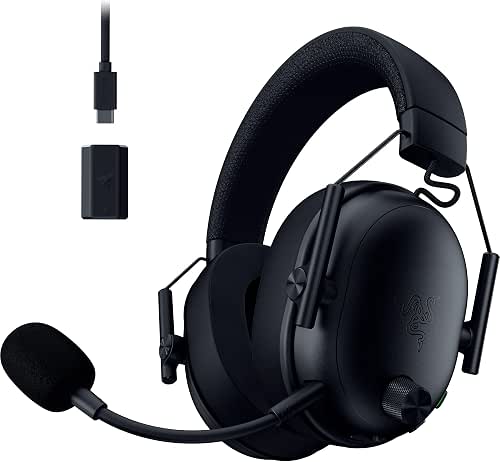

Alternative wireless option
A second BlackShark V3 option when pricing or platform support lines up better.
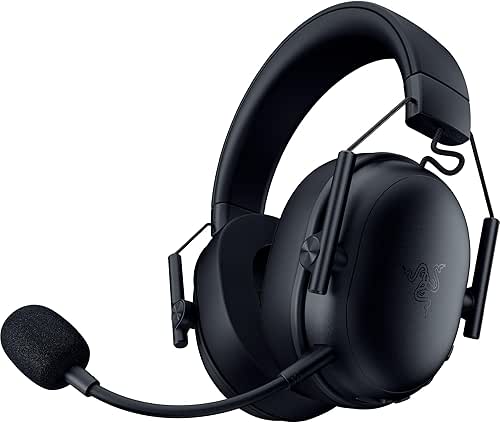
Premium ANC option
Worth comparing if you want active noise cancelling and a feature-heavy wireless setup.

Older reliable option
A familiar fallback that can still make sense when the price is right.

What actually matters in a gaming headset?
The best headset is usually the one that avoids the common failure point for your setup.
| Priority | Why it matters | What to avoid |
|---|---|---|
| Mic clarity | Your friends should hear callouts clearly without hiss, compression, or muffled chaos. | Buying purely for speaker size or RGB. |
| Latency | Wired and 2.4GHz wireless are the sensible paths for gaming. | Bluetooth-only headsets for serious play. |
| Comfort | Clamp force, pad heat, weight, and headband pressure decide long-session survival. | Heavy premium headsets that feel good for ten minutes. |
| Platform support | USB dongles, Xbox support, PlayStation support, and Bluetooth mixing vary a lot. | Assuming every wireless headset works everywhere. |
Read the deeper headset guide
Best Gaming Headsets for Co-op Gaming in 2026 focuses on mic clarity, comfort, latency, and platform support for people who actually talk while they play.
Headset FAQ
Is wireless worth it?
Yes, if it is proper low-latency 2.4GHz wireless and the battery life fits how you play.
Is Bluetooth enough?
Usually not for gaming. Bluetooth can be fine for casual listening, but latency and mic handling are often poor for play.
Should I buy for sound or mic?
For co-op, start with mic clarity and comfort. Good audio matters, but bad voice chat ruins the whole point.
Product prices and availability change. Always check the retailer page before buying.
